
ZipQuantum Engineering ·
Deep Link Redirect Chains: How to Test Every Hop Before Mobile App Routing Breaks
Trace every redirect hop before Universal Links or Android App Links break. Test hosts, paths, parameters, association files, and device routing.
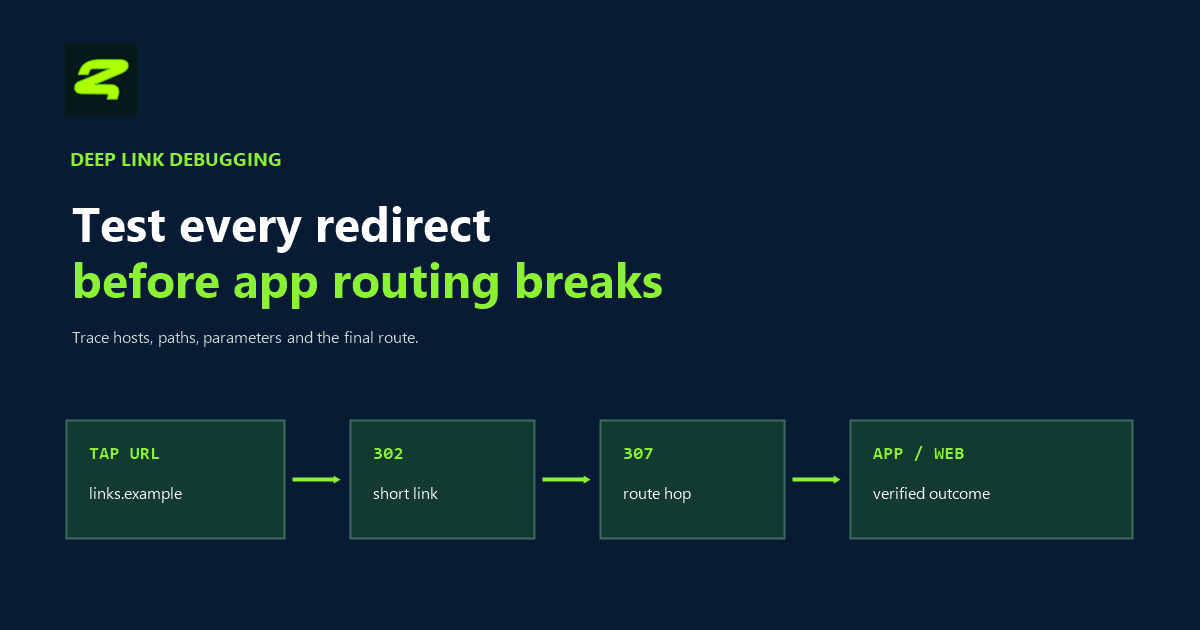
A deep link can return the correct page in a desktop browser and still fail to open the installed app. The missing evidence is often hidden between the URL a user taps and the URL your server finally serves: a host change, an unexpected redirect, a lost query parameter, or a path that no longer matches the app’s declared rules.
This guide shows how to inspect that complete redirect chain before you debug app code. The objective is not to eliminate every redirect. It is to make every hop explicit, preserve the intended route, and test the same public URL that users receive.
Why a successful browser test is not enough
Universal Links and Android App Links combine two systems: normal HTTPS navigation and an operating-system association between an app and a web domain. Apple requires a matching Associated Domains entitlement and website association. Android verifies the hosts declared by the app against a Digital Asset Links file.
A browser is designed to follow redirects. App-link verification and routing are stricter. Android’s official troubleshooting guide warns that redirects between HTTP and HTTPS or between non-www and www can prevent verification. Apple documents each supported subdomain as its own associated domain, with its own association file. A redirect therefore cannot be treated as a substitute for configuring the host that people actually tap.
The practical rule is simple: validate the first public host, inspect every redirect, and then test the final route on real devices.
Map the redirect chain before changing anything
Begin with a read-only request that does not automatically follow the first redirect:
curl -sS -D - -o /dev/null --max-redirs 0
  "https://links.example.com/campaign?route=product-42&source=email"
Record the status code and the complete Location value. Then inspect the full chain:
curl -sS -L -D - -o /dev/null --max-redirs 10
  "https://links.example.com/campaign?route=product-42&source=email"
For every response, capture five facts:
- HTTP status code;
- source host and destination host;
- path before and after the hop;
- query parameters before and after the hop;
- whether the response is an HTTP redirect or an HTML/JavaScript interstitial.
curl -I is convenient, but a server or CDN can handle HEAD differently from GET. If the two results differ, use a normal GET with the body discarded, as in the commands above.
Read the status code as part of the contract
| Status | Meaning | What to check in a deep-link chain |
|---|---|---|
301 |
Permanent move | The destination should be stable. Confirm that caches and clients are not preserving an obsolete route. |
302 |
Temporary destination | Appropriate for changeable routing, but the Location header must still preserve the intended path and parameters. |
307 |
Temporary redirect that preserves the request method | Useful when method preservation matters. For ordinary tapped HTTPS links, test the resulting GET path and host. |
308 |
Permanent redirect that preserves the request method | Treat it as a durable routing decision and verify that the permanent target is correct before release. |
The status code alone does not make a mobile route valid. The important evidence is the combination of the tapped host, verified association, matching path, preserved parameters, and app-side handling.
Five redirect failures that repeatedly look like app bugs
1. The first hop changes to an unconfigured host
A campaign link might move from go.example.com to www.example.com. Both hosts can serve healthy web pages while only one is associated with the app. Configure and test every public host in the route, or keep the tap on one verified host.
2. The association endpoint redirects
The website association documents are infrastructure endpoints, not marketing pages. Android requires https://domain/.well-known/assetlinks.json to be available over HTTPS without a 301 or 302 redirect. Apple likewise documents the AASA file at the root or /.well-known/ location without redirects. Test these endpoints separately from the campaign URL.
curl -sS -D - -o /dev/null --max-redirs 0
  "https://links.example.com/.well-known/assetlinks.json"

curl -sS -D - -o /dev/null --max-redirs 0
  "https://links.example.com/.well-known/apple-app-site-association"
3. A parameter disappears or changes encoding
Compare the first URL with every Location header. A routing value can be dropped, duplicated, decoded too early, or overwritten by campaign parameters. Define which keys are functional, which are measurement-only, and which must never enter a URL because they contain personal data or secrets.
4. The final path no longer matches the declared rules
A redirect from /open/product/42 to /product?id=42 changes the path contract. The final page may return HTTP 200 while the original or final path sits outside the app’s configured rules. Compare the whole path against the AASA components, Android intent filters, and any Dynamic App Link rules you use.
5. An interstitial replaces an HTTP redirect
Cookie walls, bot checks, consent screens, and JavaScript redirects can create a different chain from a plain server response. Test from the actual channel and device as well as from the command line. If an interstitial is required, make sure the web fallback remains useful and does not silently discard route context.
Test the operating-system decision, not just HTTP
Once the server chain is known, test the exact public URL with the app installed and uninstalled. On Android 12 or later, you can reset and re-run domain verification, then inspect the result:
adb shell pm set-app-links --package com.example.app 0 all
adb shell pm verify-app-links --re-verify com.example.app
adb shell pm get-app-links com.example.app

adb shell am start -W
  -a android.intent.action.VIEW
  -d "https://links.example.com/campaign?route=product-42"
Android documents verified as the successful domain state; any other value needs investigation. On iOS, test a user-initiated tap from a suitable source such as Notes or Messages, not only by pasting the URL into Safari. Apple also notes that a tap from a Safari page to another URL on the same domain may remain in Safari because the system respects the user’s apparent browsing intent.
Run the same URL through these states:
- app installed and not installed;
- cold launch and warm launch;
- signed-in and signed-out app state;
- first tap and repeated tap;
- expected path and an intentionally unsupported path;
- original query order, encoded values, and missing optional values.
If the flow includes installation, add a separate post-install handoff test. A verified direct link and a deferred route are related, but they are not the same delivery mechanism.
A release checklist for redirect-safe deep links
- Freeze one test URL. Store the exact value used in email, ads, QR codes, or partner placements.
- Trace every hop. Record status, host, path, query, TLS result, and final response.
- Verify each tapped host. Do not assume a redirect transfers Universal Link or App Link trust.
- Check the association endpoints directly. Require HTTPS, the expected content type, valid content, and no redirect.
- Compare path rules. Check both the first public path and the final application route.
- Preserve only the required context. Keep route keys and permitted campaign context; exclude secrets and personal data.
- Test real device states. Installed, uninstalled, cold, warm, authenticated, and unauthenticated.
- Keep a useful web fallback. Unsupported devices and users without the app should reach real content, not a dead end.
For a broader pre-launch review, combine this checklist with the mobile campaign link audit and the platform comparison in Universal Links vs Android App Links.
Use Deep Link Doctor before the device matrix
Deep Link Doctor checks the public server-side layer: HTTPS, redirects, association documents, identifiers, certificate fingerprints, and path coverage. It is read-only and helps identify which infrastructure check failed before you move to app and device debugging.
That boundary matters. A green server-side diagnosis does not prove that a specific installed build will route correctly, and a browser fallback does not prove that app routing failed. Use the Doctor to narrow the server problem, then finish with the operating-system tests above.
Inspect a deep-link URL Create a test short link
FAQ
Can a redirect make an unverified domain open my app?
Do not rely on it. Verify and test the public host that users actually tap. A later redirect to a verified host is not a substitute for the operating-system association on the original host.
Should a deep-link redirect use 301, 302, 307, or 308?
Choose permanence and method semantics deliberately: 301 and 308 are permanent; 302 and 307 are temporary; 307 and 308 preserve the request method. For a normal tapped HTTPS link, the host, path, parameters, and platform association are still the decisive checks.
Can a short URL open an installed app?
Yes, when the short-link host and path are correctly associated with the app and the device accepts that association. A short URL that merely redirects to another verified domain should not be assumed to inherit that domain’s app-routing behavior.
How do I know whether query parameters survived the chain?
Capture every Location header and compare the keys and encoded values with the original URL. Then verify the route received by the app. Do not put secrets or personal data in those parameters.
Does Deep Link Doctor replace testing on a phone?
No. It diagnoses the public server and association layer. You still need device tests for installation state, domain-verification state, cold and warm launches, authentication, and in-app routing.