
ZipQuantum Engineering ·
One QR, Many Lifecycle Moments: Dynamic QR Codes for Packaging and Delivery
Learn how one dynamic QR code can support packaging, delivery, onboarding, reorder, support and returns—without reprinting the physical label.
A QR code on a carton, product label, tote, or packing slip is often treated as a one-use shortcut. It opens a setup page on launch day, a tracking page during delivery, or a support page after the sale. Then the journey changes, the URL becomes stale, and the physical code cannot.
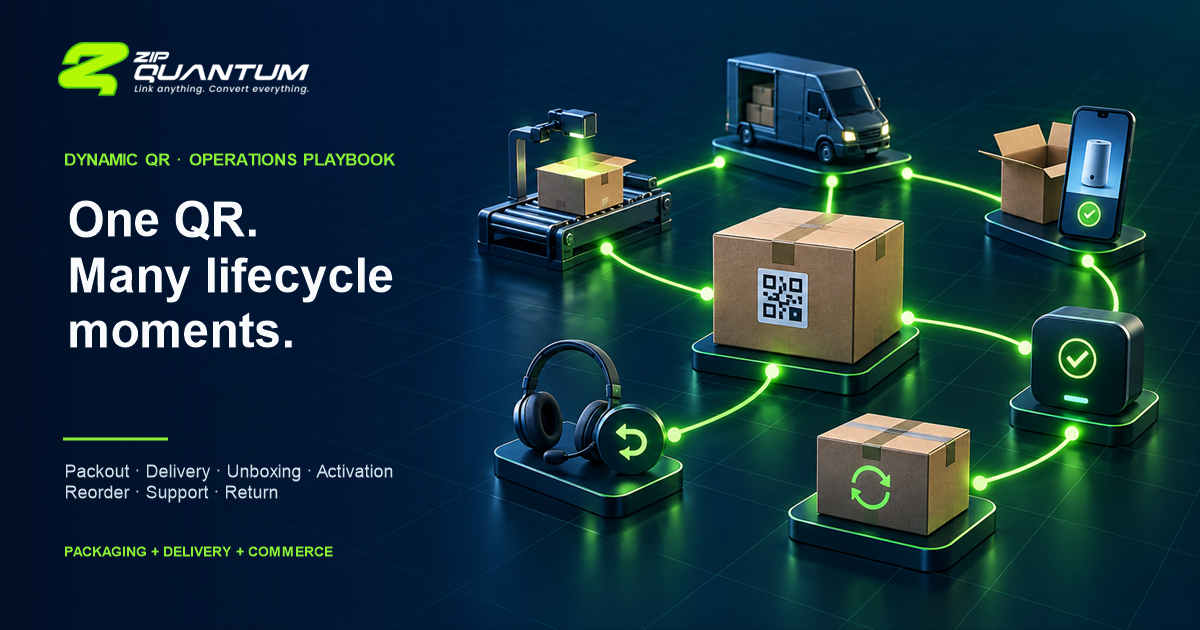
A better operating model is to keep the printed entry point stable while changing the controlled destination behind it. The same label can support product onboarding, delivery information, instructions, replenishment, support, and returns without asking operations to print a new code for every lifecycle moment.
Why the physical label outlives the first campaign
Packaging and logistics assets persist. A box may sit in a warehouse, move through a carrier network, be opened weeks later, remain in a customer’s home, and reappear during support or return. A URL designed only for the first scan ignores that timeline.
The operational value of a dynamic QR code is therefore not that the black-and-white pattern changes. It should not. The useful property is that a stable URL encoded in the symbol resolves to a destination that an authorized team can update, with a documented fallback and change history.
This distinction also explains why a dynamic QR layer is not a warehouse management system, transport management system, order management system, ERP, or native proof-of-delivery product. Those systems remain the sources of operational state. The QR layer is the controlled entry point that sends the scanner to the appropriate experience.
One code, seven lifecycle moments
Start by mapping the moments in which a person may encounter the same physical code. The destination should be selected from known product or workflow context, not from hidden personal data in the printed URL.
| Lifecycle moment | Useful destination | System that owns the truth | Event to measure |
|---|---|---|---|
| Packout | Packing or handling instructions, product identity, batch-safe content | WMS, PIM, ERP, or operations database | Scan and instruction viewed |
| Delivery | Order-status or carrier page reached through an authenticated handoff | OMS, TMS, carrier, or commerce platform | Landing and status action |
| Unboxing | Localized welcome, setup checklist, safety or care instructions | CMS, PIM, or product team | Content view and next-step click |
| Activation | Registration, app route, warranty flow, or account setup | App or customer platform | Activation started and completed |
| Reorder | Compatible refill, accessory, or repeat-purchase page | Commerce catalog | Add-to-cart, conversion, repeat purchase |
| Support | Model-specific troubleshooting, manuals, chat, or ticket intake | Knowledge base or support platform | Self-service action or ticket created |
| Return or recovery | Return eligibility, repair, recycling, or recovery instructions | Returns platform, ERP, or compliance system | Return started, repair selected, or recovery route used |
The table is a design tool, not a promise that every scan can be interpreted automatically. If the destination depends on an order, entitlement, or customer identity, the scan should lead to a safe authentication or lookup step. Do not print email addresses, order tokens, session identifiers, or other personal data into a publicly readable code.
Standards already point toward multipurpose product entry points
GS1 Digital Link provides a standardized way to express identifiers such as GTINs, GLNs, and SSCCs in web addresses. GS1 describes a retail vision in which one multipurpose 2D barcode can support point-of-sale and access to product information, instructions, certifications, traceability, and other digital content. A GS1-conformant resolver can expose different link types for the same identifier.
That is broader than a generic marketing redirect. A company implementing GS1 Digital Link should follow GS1 identifier, syntax, resolver, and data-carrier requirements rather than merely placing a branded short URL in a QR code. ZipQuantum can manage dynamic destinations and scan journeys, but it does not turn an arbitrary URL into a GS1-conformant implementation or replace the systems that publish product data.
The European Union’s Ecodesign for Sustainable Products Regulation also defines a Digital Product Passport as product-specific data accessible electronically through a data carrier. The regulation requires the applicable passport data to be accurate, complete, and up to date, with product-group details established through delegated acts. This is a useful governance signal, not permission to label every dynamic QR campaign a Digital Product Passport. Teams should confirm the rules for their specific product group and implementation.
Worked example: a refillable countertop appliance
The following is an illustrative composite, not a customer case study. It combines common commerce, packaging, delivery, and support requirements to show the operating model.
A brand sells a refillable countertop appliance through its own store and retail partners. Operations prints one QR code on the product label and the outer carton. The encoded URL contains a non-secret product or model reference, not customer data.
- At packout, an internal scan opens the current handling checklist and model verification page.
- During delivery, a consumer scan lands on a neutral order-help page. The customer must authenticate or enter a public-safe reference before seeing shipment details.
- At unboxing, the default destination changes to a localized setup guide with safety instructions and a short activation path.
- After activation, the same entry point can prioritize usage guidance, compatible refills, or support. If an app is configured, a Smart Link can route an installed user to the appropriate screen and preserve a web fallback.
- Later, the brand can update the default page when instructions change, a refill is replaced, or a repair program is introduced—without changing the printed symbol.
- For a return, the destination starts a return or repair lookup. The returns platform determines eligibility; the QR system does not.
The decision logic should remain inspectable. A simple rules table might use product identifier, locale, channel, and a declared lifecycle configuration. It should not infer sensitive identity from a scan. The default route must still work when no rule matches.
Design the resolver before designing the poster
A durable QR workflow has four layers:
- Stable printed URL. Use a domain your organization controls or can migrate. Keep the URL short enough to avoid an unnecessarily dense symbol.
- Governed destination. Define who may change it, what evidence is required, and how to roll back.
- Safe fallback. Serve a useful, non-sensitive page when context is missing, an upstream system is unavailable, or a route is retired.
- Downstream source of truth. Let the WMS, OMS, TMS, ERP, commerce, support, or returns system decide the operational state it actually owns.
For a quick experiment, the Free Dynamic QR Code Generator can create a dynamic entry point. For a managed workflow, review the QR & Smart Codes product. If the primary surface is a compact web URL rather than a printed code, use a governed Smart URL Shortener instead of adding a QR layer without a physical use case.
Measure the journey, not just the scan
A scan is an entry event. It is not evidence that the destination helped. Define the next meaningful event for each lifecycle moment and keep the measurement boundary explicit.
- Scan: the resolver received a request. Filter obvious bots and internal QA where possible.
- Landing: the destination loaded successfully.
- Action: the visitor opened instructions, started activation, checked status, added a refill, or began support.
- Conversion: the intended business or service action completed.
- Repeat: the same product entry point was useful again in a later session or lifecycle stage, measured without exposing personal data in the URL.
- Return: a return, repair, recycle, or recovery flow started and reached a defined outcome in the owning system.
Use channel and asset identifiers that are safe to expose publicly. UTM parameters can identify a packaging run or placement, but a public URL is not a storage location for customer names, order details, access tokens, serial-to-owner mappings, or other sensitive fields. Join scan events to downstream outcomes only through a lawful, documented measurement design.
Failure modes that create reprints and support tickets
Printing a static destination
If the QR symbol contains the final campaign or CMS URL, every future change depends on redirects at that location or a physical reprint. Encode a controlled resolver URL instead.
Allowing the destination to die
Domains expire, pages move, campaigns end, and vendors change. Assign an owner, monitor the route, document renewal responsibility, and keep a migration plan.
Skipping the fallback
Rules will occasionally lack context or upstream services will fail. A stable help or product-information page is better than an error, empty app launch, or endless redirect.
Putting PII or secrets in the URL
Anyone can photograph or share a printed code. Treat its URL and parameters as public. Authenticate before revealing order, warranty, or customer-specific information.
Using a QR redirect as proof of delivery
A scan records that a URL was requested. It does not by itself prove custody, identity, delivery, condition, or acceptance. Keep proof-of-delivery evidence in the system designed for it.
Weak print design
The current GS1 retail implementation guidance warns that insufficient quiet zones, poor contrast, distorted modules, and graphics placed over the symbol can harm performance. QR Code requires a quiet zone four modules wide on every side. Test the final printed material, not only the artwork on a monitor.
Changing production routing without a release process
A dynamic destination is operational configuration. Require named owners, preview, approval for high-impact changes, a rollback value, and a timestamped change record.
Operational checklist before the first print run
- Define the model, batch, item, location, or campaign level represented by the code.
- Confirm whether GS1 Digital Link or another industry standard applies.
- Use a controlled HTTPS domain and document domain ownership and renewal.
- Keep public URLs free of PII, credentials, and reusable access tokens.
- Write the default fallback before adding routing rules.
- Name the WMS, TMS, OMS, ERP, CMS, commerce, support, or returns system that owns each downstream fact.
- Define roles for creation, destination changes, approval, and rollback.
- Record scan, landing, action, conversion, repeat, and return events separately.
- Preserve UTM and asset taxonomy without placing customer data in the URL.
- Maintain strong contrast, square modules, and a four-module quiet zone.
- Test multiple iOS and Android cameras on the actual material, curvature, lighting, and expected distance.
- Test before printing, immediately after printing, after lamination or packing, and after every destination change.
- Document what happens when the resolver, destination, or upstream operational system is unavailable.
- Keep a reprint threshold for cases where the physical symbol itself is damaged or non-compliant.
Where ZipQuantum fits—and where it does not
ZipQuantum can provide the dynamic destination, QR generation, link-level analytics, Smart Links, and controlled web/app routing used in this pattern. Teams can edit destinations and keep a stable printed entry point. That makes it useful at the connection between physical assets and digital experiences.
ZipQuantum is not a WMS, TMS, OMS, ERP, digital product passport registry, product-information master, carrier tracking system, returns platform, or native proof-of-delivery service. It should route to those systems or their customer-facing experiences, not imitate their source-of-truth responsibilities.
Create a test dynamic QR code Review QR & Smart Codes
FAQ
Can one QR code show different content over time?
Yes, when the printed code contains a stable resolver URL rather than the final destination. Authorized teams can update the destination or its rules while the physical symbol remains unchanged. A fallback and rollback plan are still required.
Should a package QR code contain an order number or customer identifier?
Avoid placing personal data, reusable order tokens, or secrets in a publicly readable code. Use a non-sensitive product or asset reference and require authentication or a safe lookup step before showing customer-specific information.
Does a dynamic QR code replace a WMS, TMS, ERP, or proof-of-delivery system?
No. It is an entry and routing layer. Warehouse, transport, order, enterprise, carrier, and proof-of-delivery systems must remain the sources of operational truth.
Is every dynamic product QR code a GS1 Digital Link or Digital Product Passport?
No. GS1 Digital Link has specific identifier, URI, and resolver standards. EU Digital Product Passport obligations depend on applicable legislation and product-group rules. A generic editable QR destination does not automatically meet either framework.
What should we test after the QR code is printed?
Test the actual material with multiple mobile cameras, lighting conditions, scan distances, and expected angles. Verify contrast, module shape, quiet zone, HTTPS, redirects, fallback behavior, analytics, and the complete downstream action.