

ZipQuantum Engineering ·
Mobile Campaign Link Audit: A Marketer’s Checklist
Good CTR does not prove that a mobile campaign works after the click. Use this practical audit to test app-store handoffs, first opens, destination recovery, and conversion events across iOS and Android.
Mobile Campaign QA Guide
Good CTR, Weak Activation? Audit the Mobile Journey Before Blaming the Creative
A practical mobile campaign link audit for finding where user intent disappears between the ad click, app store, first open, and intended in-app action.
Your campaign is generating clicks. The creative is doing its job. Yet product views, sign-ups, purchases, or referral activations remain disappointing.
The usual reaction is to change the ad: rewrite the headline, refresh the visual, narrow the audience, or increase the bid. But the problem may begin after the click.
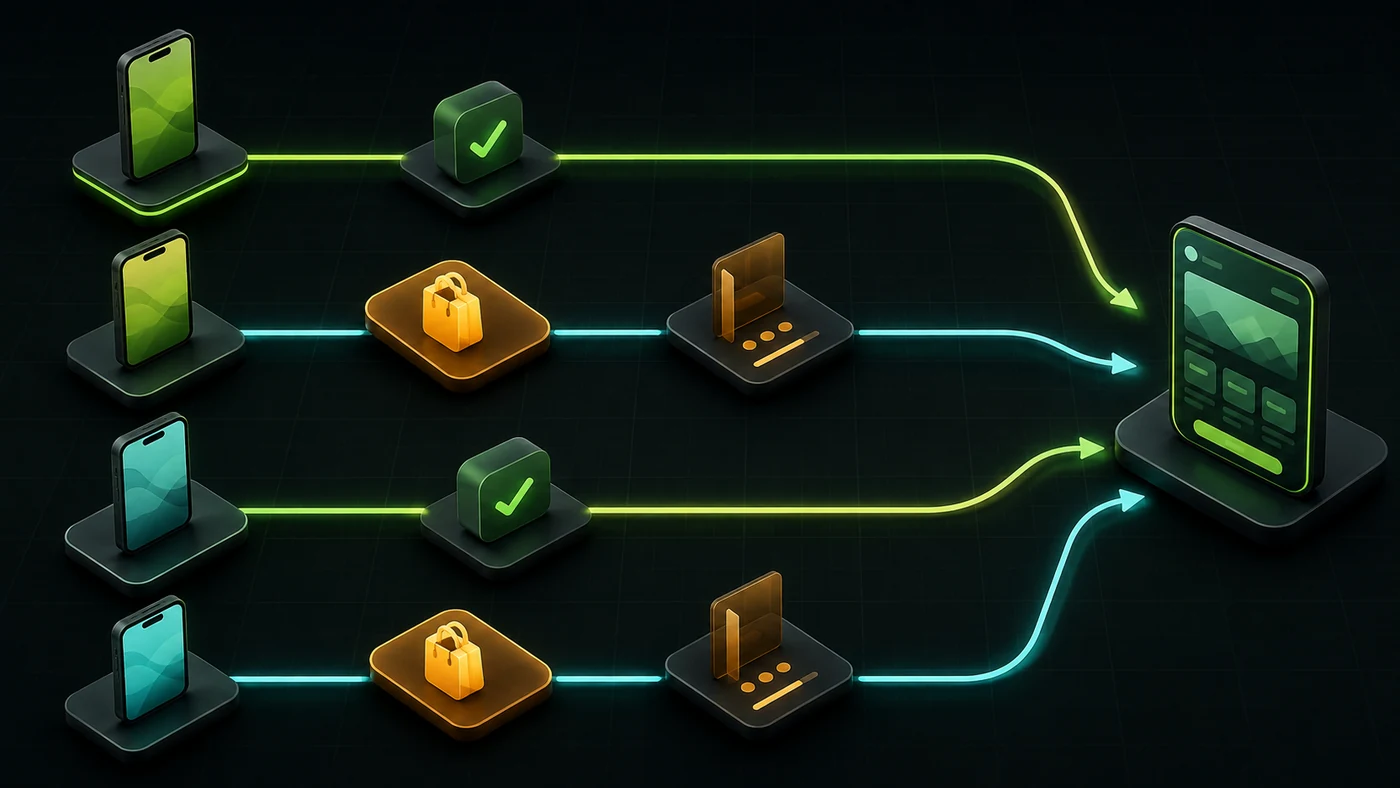
A mobile campaign—especially an app-install campaign—often asks a user to cross several boundaries:
ad → browser → app store → installation → first open → intended screen → conversion
Every boundary can lose the user’s original intent. A person who tapped an ad for a specific product can install the app successfully and still arrive on a generic home screen. From the advertising platform’s perspective, the campaign produced an install. From the user’s perspective, the promise was broken. Preserving that destination through installation is the role of ZipQuantum deferred deep linking, but marketers still need to verify the result.
This guide shows marketers how to audit that journey, identify the exact point of failure, and give product or engineering teams a testable problem to fix.
1. Write the promised destination before inspecting any data
Start with one sentence:
Examples:
- the product page for the blue running shoe, with the advertised discount visible;
- the creator’s referral screen, with the referral code already recognized;
- the event registration page for the selected city and date;
- the abandoned cart, with the relevant items still identifiable;
- the subscription offer shown in the ad, not the standard pricing screen.
Avoid goals such as “open the app” or “send the user to the store.” Those are transport steps, not the user’s intended outcome.
This sentence becomes your acceptance criterion. Anyone testing the campaign should be able to answer yes or no without interpreting a dashboard.
2. Test the journey as a matrix, not as a single link
A link that works on your own phone is not necessarily campaign-ready. Your device represents only one operating system, one install state, one browser, and one app version.
At minimum, test these states:
| Test state | Expected outcome | Common failure |
|---|---|---|
| iPhone, app installed | The app opens on the promised screen | Safari opens, or the app opens on Home |
| iPhone, app not installed | App Store opens; after install, the user has a clear path to the promised screen | The original product or offer disappears |
| Android, app installed | The app opens on the promised screen without an app chooser | Browser opens, chooser appears, or the wrong app handles the URL |
| Android, app not installed | Google Play opens; after install, the intended context is restored or clearly recoverable | First open starts generic onboarding |
| Mobile browser fallback | A useful web equivalent is shown | Blank page, redirect loop, or desktop-only page |
| Desktop | A relevant web page or deliberate fallback is shown | A mobile store page is forced on desktop |
| In-app browser | The user can continue without a dead end | Social or messaging browser traps the journey |
Apple Universal Links and Android App Links rely on verified relationships between a website and an app. Their installed-app behavior is controlled partly by the operating system, not only by the URL itself. This is why realistic device testing matters.
Test from the placement users will actually tap: an ad preview, email, SMS, QR code, social post, or messaging app. Copying a URL into a browser address bar does not reproduce every real-world behavior.
3. Check message continuity at every handoff
Campaign consistency is usually discussed as an ad-to-landing-page issue. For apps, it must continue through the first open.
Record the following for each step:
| Step | What must remain consistent? |
|---|---|
| Ad | Product, offer, creator, event, location, or task promised |
| Pre-install page | Same promise and a clear reason to install |
| Store listing | Correct app, market, and operating system |
| First open | A clear continuation, not a restart |
| Destination screen | Correct object and required parameters |
| Conversion step | Offer eligibility and business rules still valid |
For example, a “20% off Product A” campaign has failed if the app opens on Product A but silently drops the discount. Route accuracy alone is not enough; commercial context matters too.
When a parameter is essential, define what happens if it is missing, invalid, expired, or no longer eligible. The safe fallback should be intentional and understandable—not an unexplained jump to the home screen.
4. Separate routing evidence from attribution evidence
Two questions are often mixed together:
- Did the user reach the right destination?
- Which campaign should receive credit?
They are related, but they are not the same system.
Routing evidence tells you whether the experience worked: the user opened the app, recovered the intended route, viewed the target, and completed an action.
Attribution evidence classifies the marketing source: campaign, channel, ad group, creative, or partner.
A campaign can route correctly while attribution is incomplete. It can also report an attributed install while the user lands in the wrong place. Diagnose both layers separately.
For manual campaign tagging, use a controlled naming convention for fields such as utm_source, utm_medium, utm_campaign, and utm_content. Google recommends setting all relevant UTM parameters consistently when manual tagging is used, because missing or inconsistent values fragment reporting. ZipQuantum Smart Links should preserve the destination context without turning public URLs into a data dump.
Do not place email addresses, phone numbers, access tokens, or other sensitive information in campaign URLs. Treat every URL and query parameter as information that may appear in browser history, logs, screenshots, or shared messages. For additional safeguards, review the security and privacy principles for link data.
5. Measure the journey in stages
Clicks and installs are not enough to explain where intent is lost. Ask your analytics team for a small sequence of events that reflects the actual journey.
A useful minimum is:
| Event | What it proves |
|---|---|
campaign_click |
The routing layer received the campaign visit |
store_redirect |
A user without the app was sent toward the correct store |
first_open |
The installed app was opened for the first time |
deep_link_open or intent_recovered |
The app received usable campaign context |
target_view |
The promised screen or object was displayed |
key_action |
The business outcome occurred |
Event names can differ in your stack. What matters is the ability to distinguish transport from outcome.
Google Ads explicitly recommends tracking interactions that lead up to the primary conversion, rather than only the final purchase or sign-up. It also distinguishes installs from first opens. That distinction is essential when diagnosing a campaign that generates downloads but weak activation.
Use stage ratios to find the break:
Store handoff rate     = store_redirects / eligible mobile clicks
First-open rate        = first_opens / store_redirects
Intent recovery rate   = intent_recovered / first_opens
Destination reach rate = target_views / campaign clicks
Action rate            = key_actions / target_views
These ratios are diagnostic indicators, not universal benchmarks. Compare them by operating system, app version, channel, campaign, and install state. A blended average can hide a failure that affects only iOS, one Android release, or traffic from a specific in-app browser.
Allow for consent choices, attribution windows, modelled conversions, reporting delays, and event loss when reconciling platforms. The counts may not match exactly. You are looking for meaningful discontinuities, not mathematical identity between every dashboard.
6. Use a pre-launch QA sheet that marketers can own
Deep-link testing should not live only in an engineering ticket. Marketing owns the promise, so marketing should own the acceptance test.
Copy this structure into a spreadsheet for every important campaign:
| Field | Example |
|---|---|
| Campaign | spring_launch_fr |
| Placement | Instagram Story |
| Creative variant | video_hook_02 |
| Public URL or QR | Testable campaign link |
| Promised destination | Product SKU-482, spring offer |
| Required context | offer=spring20 |
| iOS installed | Pass / Fail / Not tested |
| iOS not installed + first open | Pass / Fail / Not tested |
| Android installed | Pass / Fail / Not tested |
| Android not installed + first open | Pass / Fail / Not tested |
| Web/desktop fallback | Pass / Fail / Not tested |
| Analytics events observed | Event list or evidence link |
| Tested app versions | iOS and Android versions |
| Owner | Named person |
| Last verified | Date and time |
Add screenshots or short screen recordings for failed cases. “The link does not work” is difficult to debug. “On Android 16, app version 8.4.1, tapping the Instagram Story opens the browser fallback instead of /product/SKU-482” is actionable.
7. Triage a sudden performance drop in the right order
If click-through rate is stable but downstream activation falls, resist the urge to replace the creative immediately. Check the journey in this order:
- Destination availability: Does the intended page, product, offer, or route still exist?
- Lifecycle rules: Has the campaign link, offer, token, or redirect expired?
- Store routing: Are iOS and Android users reaching the correct regional listing?
- Installed-app opening: Do verified links still open the current production build?
- First-open continuity: Is intent preserved after a fresh installation?
- Parameter integrity: Are campaign and destination values arriving unchanged and being accepted?
- Analytics collection: Did an event name, consent flow, SDK configuration, or conversion definition change?
- Channel-specific behavior: Does the failure occur only inside a social, email, or messaging browser?
Then segment the drop by date, OS, app version, geography, channel, and creative. The first segment where the change appears often points to the owner of the problem.
8. Establish a 15-minute weekly link review
Campaign links are infrastructure. App releases, store listings, expired offers, deleted content, domain configuration, and browser behavior can all change after launch.
Once a week:
- Select the highest-spend and highest-value live campaigns.
- Run one installed and one fresh-install test per operating system.
- Confirm the promised destination and required context.
- Compare the five stage ratios with the previous period.
- Investigate any large OS-, version-, or channel-specific change.
- Record the result and assign an owner to every failure.
For evergreen QR entry points, lifecycle emails, referral links, packaging, and printed materials, schedule a monthly review even when the campaign is not actively managed. These placements often outlive the person or agency that created them.
How ZipQuantum helps close the post-click gap
ZipQuantum brings campaign routing, deterministic destination recovery, and cross-platform fallbacks into one link flow. Marketers can manage the promise in a Smart Link while product teams retain the native Universal Link or App Link integration in their app—without a proprietary mobile SDK or device fingerprinting.
Start free with ZipQuantum and validate one campaign journey end to end.
The practical takeaway
A click is evidence that the message created intent. It is not evidence that the experience fulfilled it.
The most useful question a mobile marketer can ask is not “Does this link open?” but:
Write the promise, test the state matrix, measure the handoffs, and keep a named owner for failures. That process will not make every campaign perform—but it will stop broken mobile journeys from being mistaken for weak creative.
Frequently asked questions
Why can a mobile campaign have good CTR but weak activation?
The ad may create genuine intent while the post-click journey loses the promised product, offer, referral, or content. Common breaks occur at the browser-to-app handoff, store redirect, first open, or in-app route.
What should marketers test before launching an app campaign?
Test iOS and Android with the app installed and not installed, then verify the first open, web fallback, desktop behavior, in-app browsers, destination parameters, and analytics events. The platform compatibility overview can help define the devices and frameworks in scope.
Are UTM parameters enough to preserve a post-install journey?
No. UTM parameters label campaign traffic for reporting. They do not by themselves guarantee that the app will open, that an install interruption will preserve the destination, or that the app will accept the intended route. Campaign tagging and destination recovery should be tested separately.